
Design QA on the live website.
A design feedback tool for AI coding agents starts with the designer's words, attached to the implemented page.
Review the implementation, not just the file
Check spacing, typography, button labels and responsive layout on your preview. pinthread keeps the discussion beside the element so the engineer does not have to guess which button you mean.
This is a human review workflow, not an automated pixel-diff test or a Figma design importer.
From the designer's comment to a checked change
- Designer: Open the deployed preview, pin a comment to the element, and describe the expected result. Include the viewport and steps if the problem depends on them.
- Engineer: Connect the coding agent with a scoped project token. Ask it to call
list_threadsandget_thread, then apply the change in the repository. - Agent: Check the change, deploy through your normal process, and reply in the thread with what changed. Keep the thread open for the designer.
- Designer: Reopen the same page, test the result, and resolve only when it matches the request.
Figma comments, screenshots in chat, or a live thread?
Checked on 10 October 2026. Figma's prototype comment guide describes pinned points or regions, replies and resolution. Figma is a strong choice for reviewing a design before implementation.
| Method | What you review | What reaches the engineer |
|---|---|---|
| Figma comments | A design file or prototype. Prototype comments also appear in the design file. | A discussion anchored to the design. Use it to agree on intent before building. |
| Screenshots in chat | A still image of a particular state. | The image and your message. Add the URL, viewport and reproduction steps yourself. Chat remains useful for quick discussion. |
| pinthread | The running website, including its actual layout and interactions. | A page path, element anchor and shared thread. The engineer's agent reads that context over MCP. |
These methods complement each other. Keep Figma for design work. Use a screenshot for a transient state. Pin a thread when the implemented page needs a change.
Worked example: checking a headline
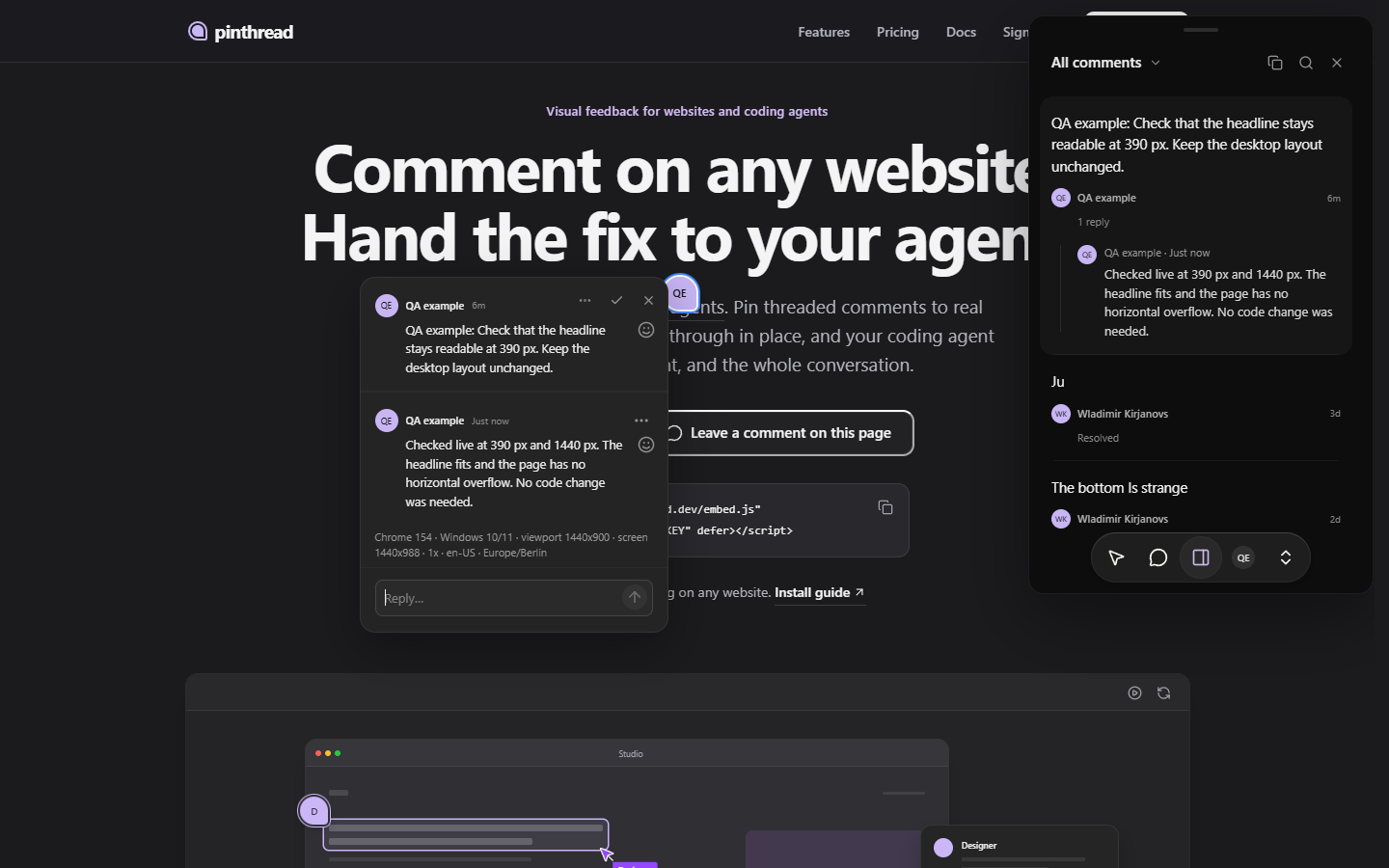
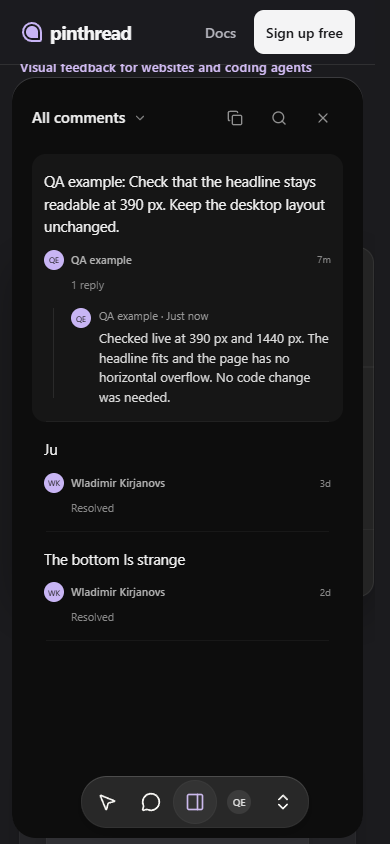
This is a real review check on the live pinthread homepage, captured headless on 10 October 2026. The screenshots show the actual widget, not a mockup.
- A named guest posted: “QA example: Check that the headline stays readable at 390 px. Keep the desktop layout unchanged.”
- The engineer's agent checked the live page at 390 px and 1440 px. The headline fit and the page had no horizontal overflow.
- The reviewer received a reply with the result and resolved the thread. No code change was needed in this check.
Questions
Does pinthread fix the code itself?
No. pinthread carries the feedback. Your engineer's coding agent reads it over MCP and edits your repository. Your team checks the deployed change.
What context does a visual report include?
A thread holds the page path, element selector and text, position, conversation and browser environment. Element context can include the label, nearby text and selected computed styles. Reviewers can attach files.
Does pinthread record a session replay?
No. pinthread does not record a session replay or automatically take a screenshot. Attach a screenshot when the visible state matters. Console warnings, errors and failed-request metadata are opt-in, not a complete network trace.
Who should resolve a design review?
The designer should check the changed page before resolving the thread. A write token also lets an agent reply and resolve, but you can ask it to leave resolution to the reviewer.
Start a design review
Create a free project, add the script tag to your preview, and invite the designer.
All use cases · Visual bug reports · Connect Claude Code · Install pinthread