
Pinthread Guides: turn a browser workflow into a step-by-step guide.
Pinthread Guides records the clicks and typing of a short browser workflow and saves each step with a masked screenshot. Guides stay on your device. It is a developer preview, not a finished guide editor.
Developer preview. Pinthread Guides is part of the pinthread browser extension and is separate from the pinthread website feedback widget. There is no public one-click install or sharing workflow yet.
Record a workflow
Open the extension on a website, choose Start recording, and perform your workflow. The recorder captures clicks, typing and select changes as steps. Choose Stop recording in the popup when you are done.
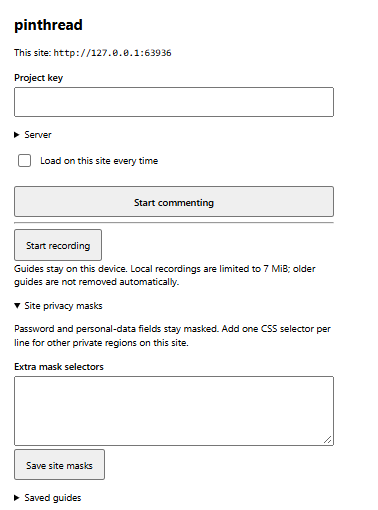
Guides stay in local extension storage. The combined local recording limit is 7 MiB. Old guides are not removed automatically; each saved guide has a Delete button.
Masks stay on
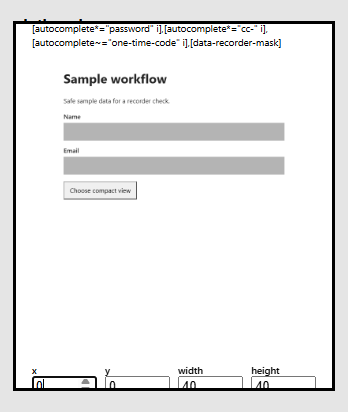
Every step screenshot is masked before it is saved. Password, email, phone, name and other personal-data fields are always covered, and field values never enter the step file. You can add CSS selectors for other private regions of a site under Site privacy masks.
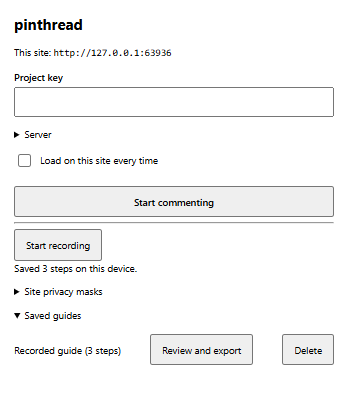
Review and export
Choose Review and export on a saved guide to check each step and its masked screenshot. Add an extra mask to any step, confirm that you reviewed every step, and export the guide as a JSON step file. The default personal-data masks are permanent and cannot be removed in the review.
What is not ready
The preview has no guide editor, PDF or Markdown download, public share link, or repository pull request yet. Those are planned work, not features you can use today.
Do not record passwords or personal data for a guide you intend to share. Check every step in the review before you export. This page does not promise that every type of private content is hidden.
Try the developer preview
Build the extension from the pinthread repository if you have access. Load the built extension as an unpacked extension in Chrome. Repository access is required while this preview remains private.
- Open a normal website and the pinthread toolbar popup.
- Choose Start recording and complete a short workflow.
- Choose Stop recording, then expand Saved guides.
- Choose Review and export to check the masks and export the step file.
Looking for website review comments instead? Install the feedback widget, or read about pinthread workflows.